Qualisis
"A web-based tool designed to help researchers collaborate with AI in qualitative data analysis — while staying in control of their interpretation."
The Problem
Researchers are increasingly using AI chatbots like ChatGPT for qualitative data analysis. But standard chatbots create several problems — AI suggestions can't be traced back to the original data, there's no visibility into how the AI reached its conclusions, and researchers easily fall into passively accepting outputs without questioning them. These issues threaten the rigour and trustworthiness that qualitative research requires.
What the Literature Says
I reviewed existing research on AI in qualitative analysis and identified 7 key risks when researchers use LLMs. These became the design requirements for the tool.
| AI Limitation | Impact on Research | Design Response |
|---|---|---|
| Hallucination | Creates false insights | Source-linked UI |
| Black box reasoning | Unclear logic | Multi-model comparison + rationales |
| Misses deep meaning | Superficial analysis | Human-in-the-loop |
| Epistemic outsourcing | Passive acceptance | Friction by design |
| Privacy risks | Data breaches | Data security requirements |
| Algorithmic bias | Skewed perspectives | Diversity-focused prompting |
| Prompt engineering is hard | Inconsistent outputs | Structured prompt templates |
Design Approach
I used Research through Design (RtD) — meaning the tool itself is a design hypothesis, not just a product. I designed two artefacts to address the same problems through different means.
7 Design Requirements
QualiPrompt
A structured prompting handbook and analysis log that researchers use with any standard AI chatbot. It guides prompt writing, evidence checking, and documentation — without needing custom software.
QualiSIS
A purpose-built web-based workspace where traceability, transparency, and researcher control are built directly into the interface.
Designing QualiSIS
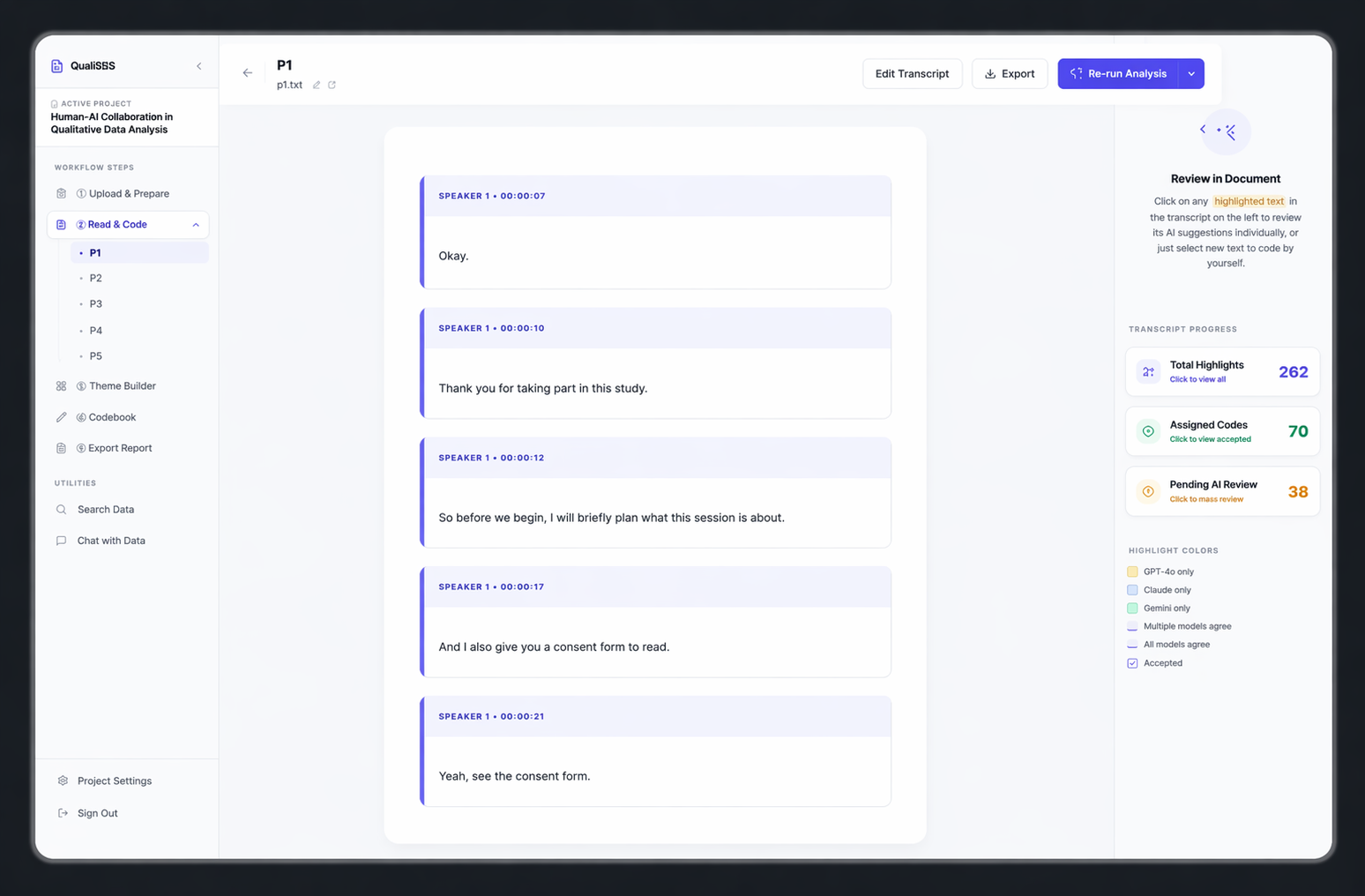
Dual-Panel Layout
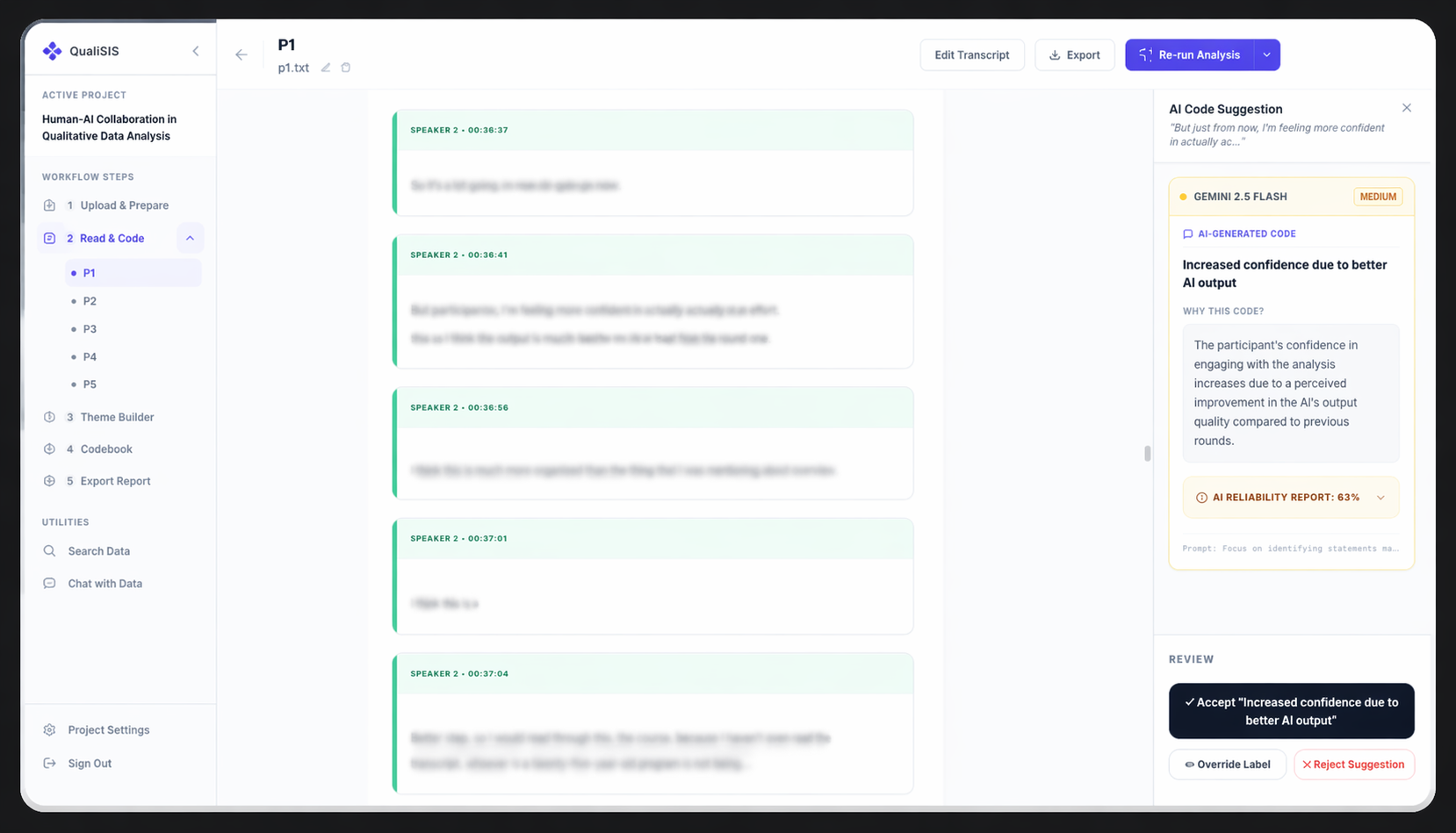
The transcript stays visible at all times. AI coding suggestions appear beside the relevant text, so researchers never lose sight of the source data.
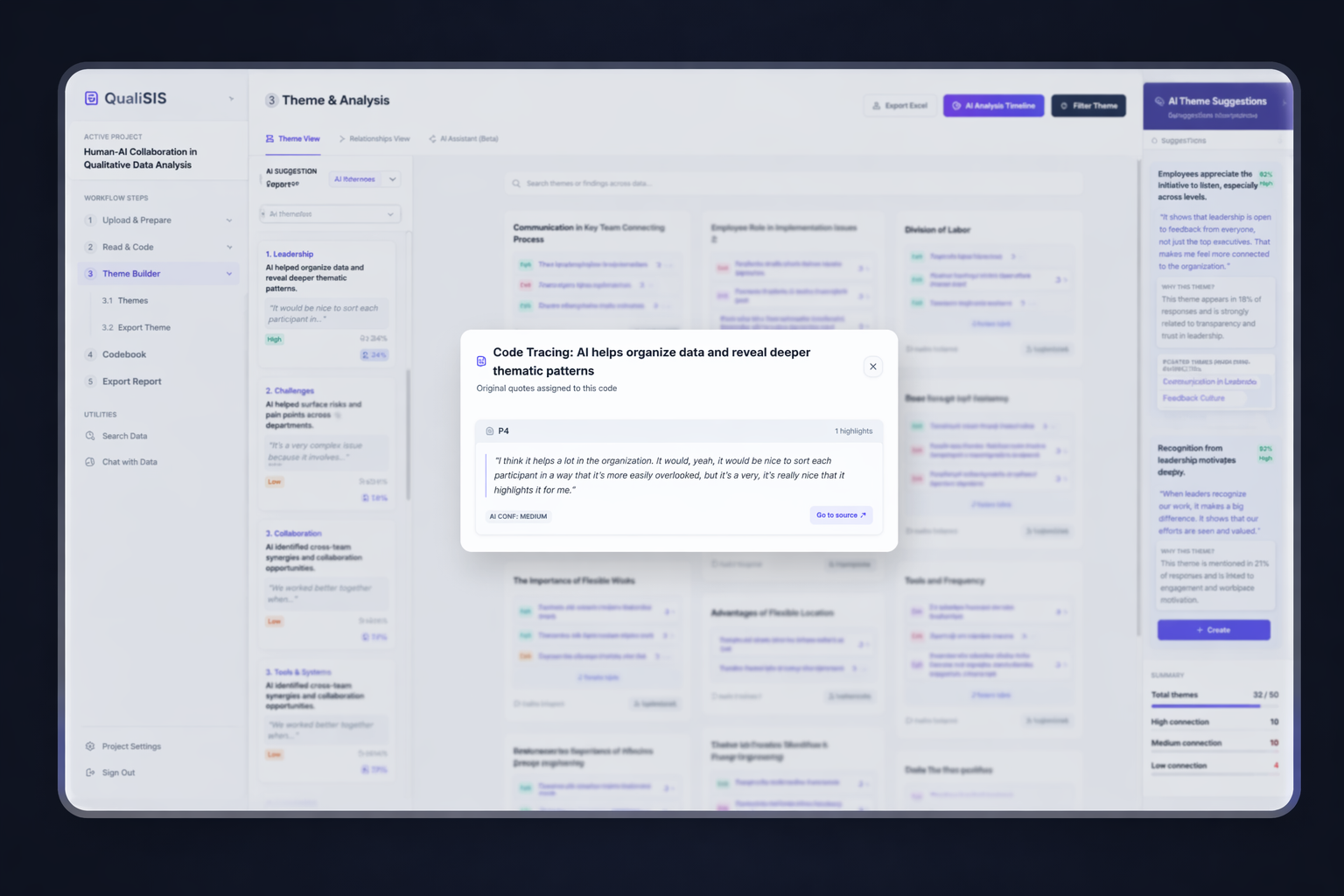
Source-Linking
Every AI-generated code links directly to the verbatim quote it was based on. Clicking a code instantly highlights the evidence in the transcript — making it easy to verify.
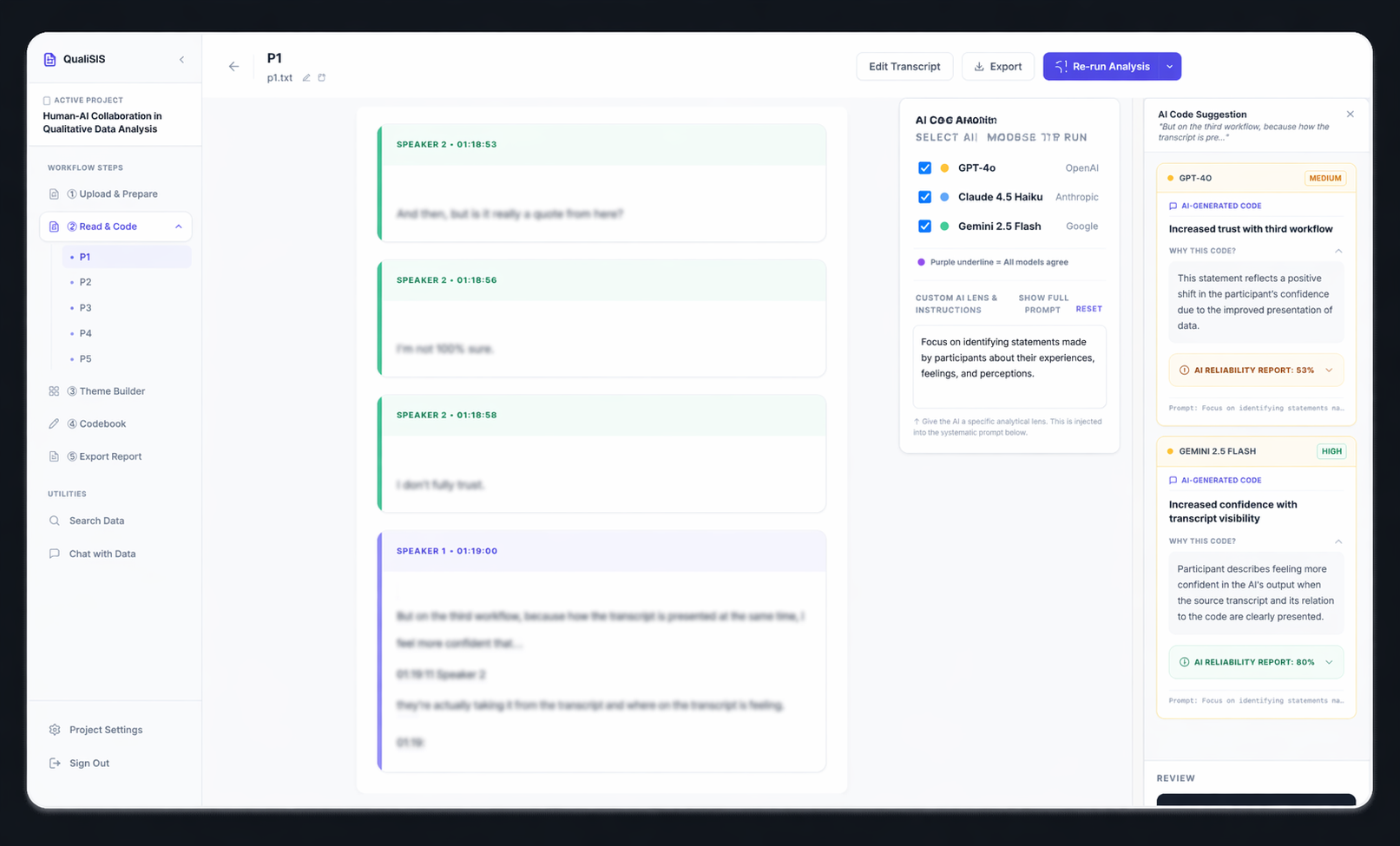
Multi-Model Comparison
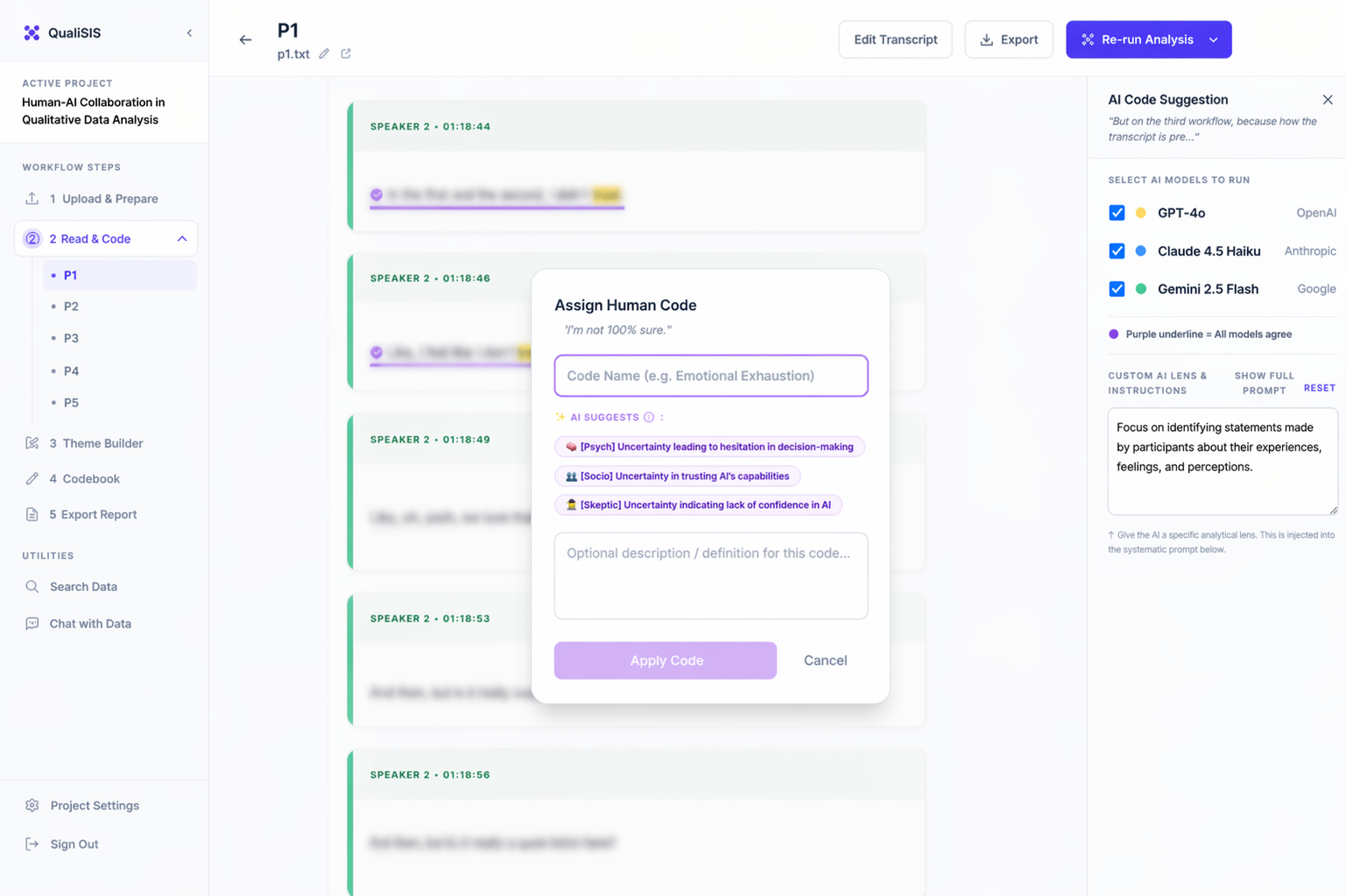
Instead of trusting one AI model, researchers can compare suggestions from multiple models. This surfaces differences in AI reasoning and encourages critical evaluation.
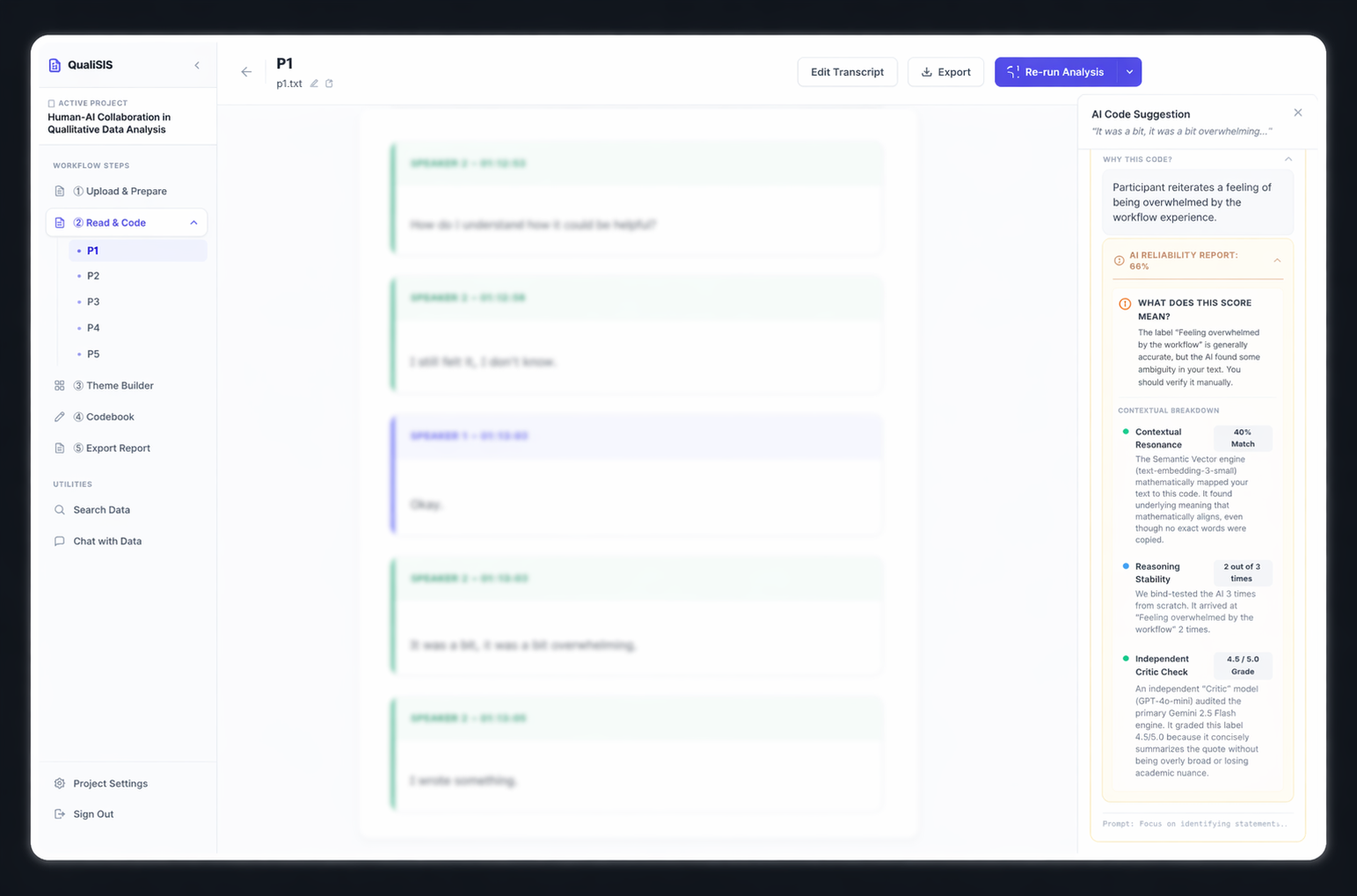
Confidence Scoring
Confidence is broken down into 5 dimensions — token probability, run consistency, semantic similarity, self-assessment, and heuristics — so researchers can inspect what the score actually means.
Accept / Modify / Reject
Every suggestion must be explicitly accepted, modified, or rejected. No bulk acceptance, no one-click approval. Researchers engage with each recommendation individually.
Manual Coding
Researchers can always add their own codes alongside AI suggestions — ensuring the tool supports human insight, not just AI output.
Testing with Researchers
I ran a within-subject study comparing 3 workflows to understand how each one shapes the analysis process. Each session lasted 60-90 minutes. Participants did think-aloud tasks followed by a post-session interview. Data was analysed using Reflexive Thematic Analysis. The study involved researchers including master's students and experienced academics.
| The 3 Workflows |
|---|
|
1
Naive AI — standard chatbot, no structure
|
|
2
QualiPrompt — structured prompts with any chatbot
|
|
3
QualiSIS — integrated prototype
|
What I Learned
"It's supporting you in the data, it's not doing the analysis for you." — P1
Insight
Participants valued AI for organising data and formulating codes, but were clear that it should not conduct analysis independently.
"The only place I trusted it was on round three where I have the transcript and it's highlighted." — P1
Insight
Visual traceability — seeing exactly which quote led to each code — was the primary trust signal. Confidence scores were largely ignored.
"I had control because I was able to edit and do my own labels and do adjustments as I would like." — P3
Insight
Researchers maintained control by reading the transcript first, creating their own codes, and actively overriding AI suggestions.
"My perfect workflow would be to create a manual coding first and then use an LLM to see if there's something that I forgot." — P5
Insight
Most participants preferred doing their own analysis first, then using AI to check and enrich — not the other way around.
Reflection
Source-linking turned out to be the most important feature — it gave researchers a reason to trust the AI's suggestions.
Confidence scores were mostly ignored. They were too complex and didn't feel meaningful to users. If I were to iterate, I'd simplify them into something more intuitive.
"The biggest takeaway for me was that good human-AI design isn't about making AI smarter — it's about giving people enough visibility and control to use their own judgment."